Never Just an Online Course — A Wager on Driving Evolution Forward
2016 Archive — Reflections One Month After My Hahow Course Went Live
In 2016 I decided to launch a course on Hahow, and that decision changed everything. What began as 13 lessons grew into more than 90, teaching code from a designer's point of view — treating the online course itself as a wager on driving evolution forward.

Reorganized from a 2016 post.
On the day the course had been live for a full month, sipping coffee, I watched the enrollment count climb past 1,667. Tidying up the bottles and coffee cups left behind from nights that ran until three or four in the morning, I tried to leave some kind of record. Only then did I realize this long road of preparing the course was nearing its end, so I started drafting, wanting to write down all of this twisting, life-burning journey.
「寫網頁好難喔……每次看線上程式教學,都在講解功能沒講怎麼完成一個好看的網頁,總覺得自己做出來,離別人美美的網站就是有一段沮喪的距離。」
"Building websites is so hard… Every time I watch an online coding tutorial, it explains the functionality but never how to make a website actually look good. Whatever I end up making always feels frustratingly far from other people's beautiful sites."
I think that sentence was the original spark for wanting to teach this course — and also the pain of my own self-taught journey into web development three years earlier. It always felt like some uncontrollable supernatural force was messing with my page layouts, all these properties whose inner workings I couldn't quite grasp — you'd practically want to leave out two packs of instant ramen as an offering and pray the page wouldn't fall apart. Just writing a website with an engineer's mindset was hard enough, never mind handling the visuals and typography so it wouldn't look as bare-bones as something made in elementary school computer class.
My First Web Project Three Years Ago (Before That, It Was the Flash Era in Middle School…)
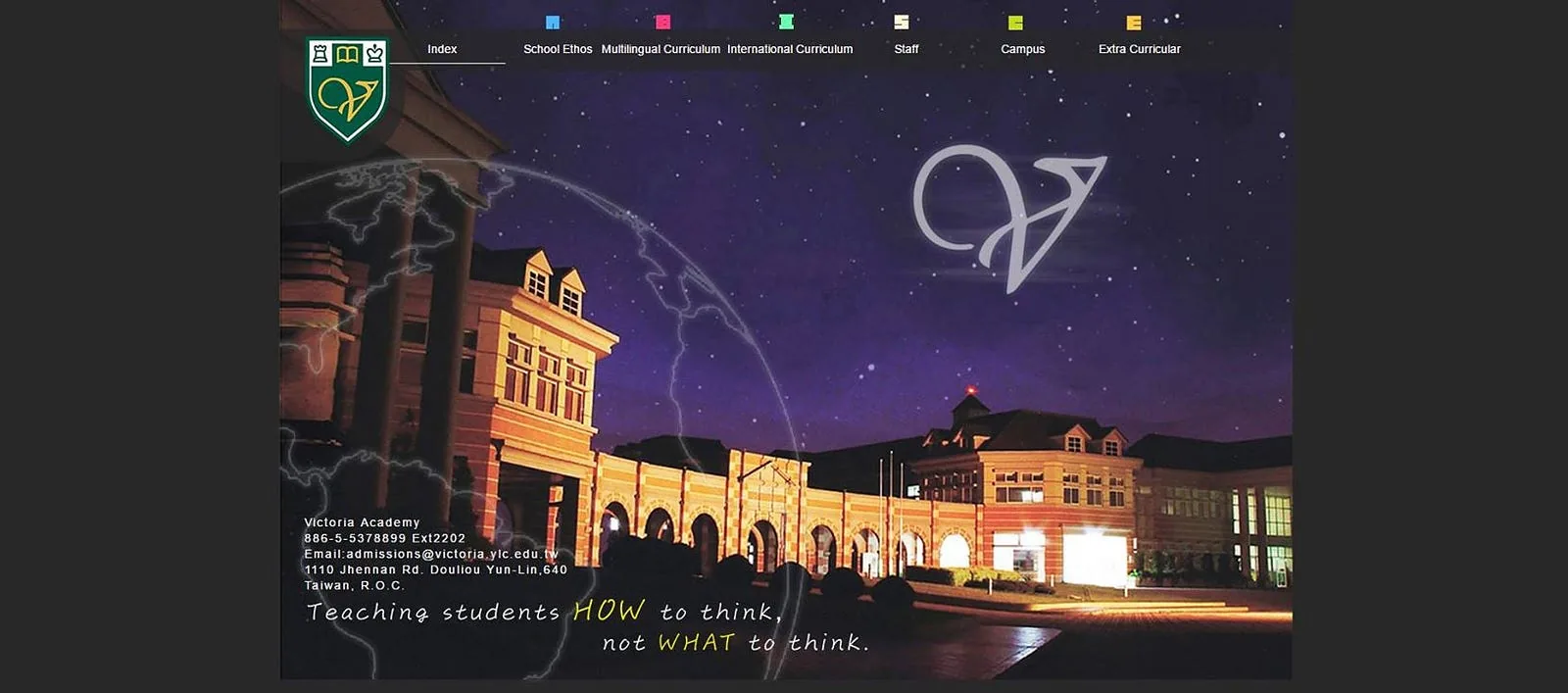
Back then, my first website still couldn't escape WYSIWYG software — you changed things by dragging and dropping. I used Adobe Animate, ignored structure entirely, and cobbled together a website that was more or less usable. I thought, making a website is just this much, why bother suffering through writing HTML and CSS? Especially back when all I knew about HTML was that you could place elements in it, and all I knew about CSS was changing text color and tweaking borders.
Three Bumpy Years Full of Strange Projects
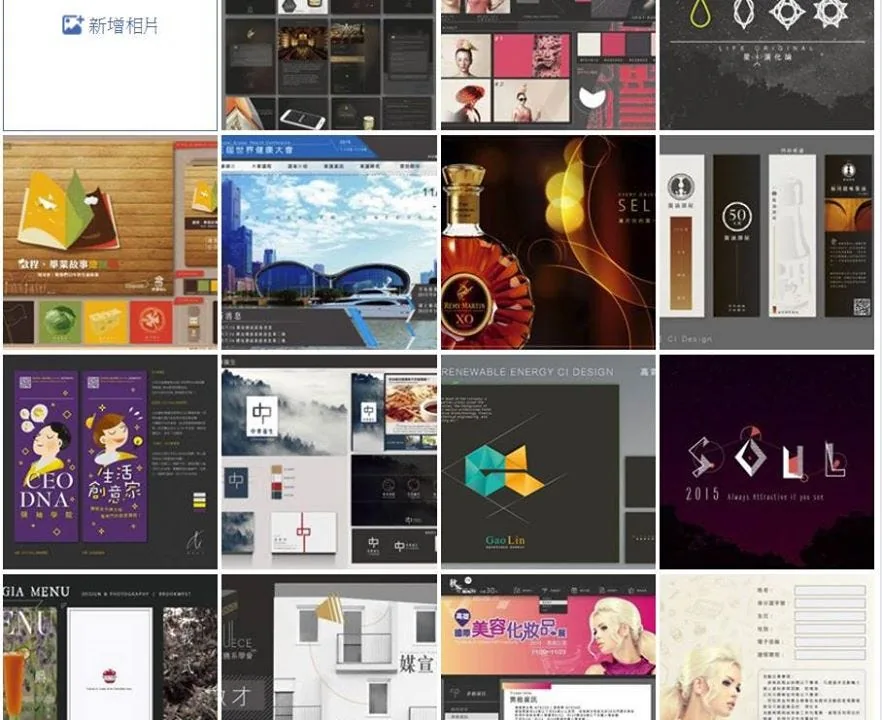
After three bumpy years, taking on dozens of projects' worth of experience and learning:
- From plain HTML/CSS, I moved into JS, and into all kinds of SVG/Canvas animation effects.
- Once I discovered Bootstrap I used it obsessively, but I eventually abandoned it because of its restrictive style and how hard it was to customize — back then my skills weren't yet good enough to match Bootstrap's polish instantly on my own.
- Gradually I could produce beautiful, precise interactions with just basic CSS/jQuery, and I stopped wanting to use other people's plugins — I started rebuilding parallax sites and interactions from principles and concepts I understood myself.
- I began studying object structures and algorithms to build dynamic, interactive pages, falling in love with elegant object structures and definitions — condensing concepts like gravity, 3D, biology, and games onto the web.
- Needing to build ticketing systems and membership features got me started on backend PHP and databases, and by the middle of this period I'd hacked together a decent CMS so clients could edit their own content. This is when I built a full front-end/back-end mental model, and also when I first experienced communication problems and the awkwardness of freelance work.
- I dabbled in Laravel / Ruby on Rails for a few months. Interesting, but once you hand off a half-sliced template to the backend to process, the possibility of further changes just disappears — so I went back to a lightweight framework structure for websites.
- After a year of writing code, I realized that processing data and generating pages on the backend was really too much trouble, and I got into front-end frameworks like Angular.js / Vue.js. I fell in love with the joy of transforming data straight into pages — going from fast to extremely fast. Vue.js's whole style, in particular, is just so clean and generous.
- I started pulling it all together, gradually mastering whatever tech was at hand, and turning what I built into reusable modules — for instance, auto-analyzing a track list to generate waveform text, doing post-analysis to dynamically produce flexible Canvas-based animations, manipulating sound and math. I felt like the web's possibilities were truly infinite.
- Growing more familiar with data flow and front-end interaction, I started thinking more holistically at the planning stage about how to create more possibilities within an existing structure and screen — making a page come alive, or giving it something that touches the heart. I'd even see an interesting case worth experimenting with and just build it as a website (like an oscilloscope).
Many Fun Examples Over the Years
Lots of interesting things in daily life can become material for the web. So to me, the web is a medium of presentation — a presentation medium with real power and possibility. First: it's fast — you can quickly get something / a product live, or test out an experimental idea. Second: it moves — compared to static presentation, a sense of interactivity gives our experience a huge upgrade. Third: it's cross-platform — wherever there's a browser, there's a website.
You can see more examples on my Hahow course page or on CodePen.
"Okay… I Want to Share This, But Where Do I Even Start?"
In May, after talking with Wei Min from Hahow about market demand for web development skills, I decided to open a course that would let anyone get into web development easily — but without being like the typical Codecademy or free tutorials, where you only get a rough sense of the concepts and can't systematically finish a website or adjust its visuals.
 The online course platform HAHOW
After the discussion, we finally settled on a precise goal for the course — though calling it "precise" is a little nerve-wracking, since it was really a broad direction, a teaching approach almost no one had tried.
"I Want to Teach Code From a Designer's Perspective (Wait, What?)"
So I set the course's goal as "understanding and building websites through Illustrator concepts." And every single example would be the real deal — walking through building a page from start to finish, what problems you'd run into, which CSS you'd need to tweak, how visual considerations translate into code architecture, and so on. Rather than focusing on how to do something, I put more weight on "what effect do you want to achieve" and "why do it this way," so the material wouldn't be too dry.
The original outline had thirteen lessons, covering basic HTML concepts through CSS and into some basic JS concepts. I figured, well, it's an "introductory" course after all, so just touching on everything you'd need would be fine:
///Original course plan
- Introduction to html/css/js website structure — a tree made of three languages
- Planning the structure — planning and preparation before building a page
- Element positioning — basic element positioning: top/bottom/left/right alignment and size
- Basic html/css — a business-card web page
- Starting development — structural principles — manipulating elements with class and id
- Starting development — working in CodePen — an introduction to sass and jade for fast development
- Element positioning — padding, margin, align: how elements relate to one another
- Element positioning — div layout strategy, overflow: you need the best board to play the best game
- Visual interface — beginner css visual adjustments
- Visual interface — color, size, all the lovely things you'd see in Illustrator
- Visual interface — typography: small changes with an outsized payoff
- Visual interface — importing Illustrator graphics and practical use of png
- Static project — building a replica of a HAHOW course page
- User interaction — css animation: mouse click, enter, and move interactions
- User interaction — basic css animation: controlling animation with %-based keyframes
- JS basics — changing how elements look with jQuery
- JS basics — using jQuery to trigger dynamic page changes on all kinds of events
- SVG — the vector image format for the web that never loses quality
- SVG animation — make your logo or graphics move
- Dynamic project — building a distinctive animated personal page
- Breaking through — techniques for solving problems and finding resources
- What comes next — two paths (front-end page layout / specializing in animation and graphics)
"Wrong, Wrong, It Was All Wrong"
But as more and more people signed up, I discovered when I started recording — that was completely not how it worked!!!
If you just rattle on for two hours straight in one lesson, who's going to understand what you're doing? Especially once the amount of material piles up without any practice examples or visible output — viewers start finding it boring and abstract, unable to grasp the concept you're trying to convey, let alone practice or actually understand it. This kind of teaching is like reading a student a manual out loud — even I found it boring to watch, never mind how to make someone else enjoy learning from it.
I thought about it for a long, long time, and decided to do a complete overhaul. I imagined: if I were a graphic designer with zero programming background, how would I go about understanding something, why would I do it this way rather than that way? What kind of examples would people actually find interesting? What would let people learn by doing, and gain a sense of accomplishment while learning?
And that's how the course exploded to more than ninety lessons. Each one was originally planned for 5–10 minutes, but often ran past 20 minutes, even up to a full hour — all so I could bring out the fullest possible thought process and design context, because that's what good teaching actually requires. I imagined myself as a complete beginner: first build a full understanding of websites in general, and only once you have that overall grasp do you enter the development stage — practicing small tools and skills one by one, then realizing seemingly impossible projects stage by stage, finding joy in small accomplishments, and gradually growing.
 Project 2: brand visual management — developing with sass/jade
///New course list
- Latest announcements (2016/9/28) — click "Handouts" for the latest course news
- Prologue — how the course works
- Prologue — how the front end and back end of the web work
- Basic upfront planning — the website project development process
- Basic upfront planning — site theme, name, and logo
- Basic upfront planning — planning the site's navigation tree
- Basic upfront planning — layout planning and categorization
- Basic upfront planning — color concepts and resources for site visuals
- Local environment setup — using Sublime and previewing pages in the browser
- Local environment setup — viewing through a server, and how it works
- CodePen setup — platform introduction / sign-up and basic settings
- CodePen setup — using Sublime keyboard shortcuts in practice
- Basic HTML/CSS — the concept of elements & arrangement in html
- Basic HTML/CSS — the concept of structure & hierarchy in html
- Basic HTML/CSS — <project 0> a simple self-introduction
- Basic HTML/CSS — css: directly adjusting appearance, colors, and borders
- Basic HTML/CSS — writing css separately — the class & id concept
- Basic HTML/CSS — css display modes: display block/inline
- Basic HTML/CSS — css element position — relative / absolute positioning
- Basic HTML/CSS — css inner/outer spacing (padding/margin)
- Basic HTML/CSS — css type variations and span — creating variation within a paragraph
- Basic HTML/CSS — <project 1> putting html / css together — a distinctive business-card page
- Basic HTML/CSS — <homework 1> assignment brief — build your own skills page
- Systematic development — html abbreviation module — introducing Emmet
- Systematic development — html templating language — jade (used throughout the course)
- Systematic development — css templating language — sass (used throughout the course)
- Systematic development — sass — managing colors & content with variables
- Systematic development — sass — the mixin concept for generating modules dynamically
- Systematic development — sass — common mixins and building up your own resources
- Systematic development — converting html references into jade
- Systematic development — <project 2> building a web brand visual guideline with color schemes
- Preparing assets — how to make icons/graphics in Illustrator
- Preparing assets — how to export images as jpeg/png/svg
- Preparing assets — uploading images to the imgur image site
- Preparing assets — managing web colors (guideline/sass/js)
- Front-end animation & interaction basics — html attr and custom attribute names
- Front-end animation & interaction basics — combining css positioning: absolute / relative
- Front-end animation & interaction basics — adding basic mouse interaction in css: :hover / :active
- Front-end animation & interaction basics — css animation basics: transition-duration/delay
- Front-end animation & interaction basics — keyframe animation in css: animation/keyframes
- Front-end animation & interaction basics — css animation speed curves: fillmode/speed curve
- Front-end animation & interaction basics — SVG — drawing vector web graphics / logos
- Front-end animation & interaction basics — SVG — make your logo or graphics move
- Front-end animation & interaction basics — <project 3> an animated, interactive weather box
- Advanced front-end programming: js — introduction
- Advanced front-end programming: js — jquery: dynamically changing css appearance / html content
- Advanced front-end programming: js — jquery: beginner mouse events — click/hover
- Advanced front-end programming: js — jquery: the concept of variables — storing, modifying, and conditionals
- Advanced front-end programming: js — json: the concept of objects and arrays & iterating with for
- Advanced front-end programming: js — jquery / json: generating a shopping cart list dynamically
- Advanced front-end programming: js — jQuery ajax — asynchronous loading and how it's used
- Advanced front-end programming: js — jQuery ajax — building a to-do list that loads in data
- Advanced front-end programming: js — <project 4> building a shopping cart — adding items dynamically and checking out
- RWD principles and practice — content flow and the core concepts
- RWD principles and practice — proportional sizing with % and max-width/min-width
- RWD principles and practice — how re-layout works — conditional css: media query
- RWD principles and practice — building a mobile layout — replicating how a Facebook profile page changes between desktop and mobile
- RWD principles and practice — the shortcut tool — how bootstrap works and how it's structured
- RWD principles and practice — how the bootstrap grid system (container/row/column) works
- RWD principles and practice — bootstrap columns (xs/sm/md/lg) for responsive design
- RWD principles and practice — bootstrap techniques: padding-based planning / nested divs
- <project 5> A real-world bootstrap example — a typical corporate brand website
- Web visual design — process — layout planning tools: AI/SKETCH/pen and paper
- Web visual design — process — planning page structure / how pages link to each other
- Web visual design — elements — style and color planning
- Web visual design — elements — planning element animation and responses
- Web visual design — elements — designing bottom-up from the elements
- Web visual design — elements — designing top-down by dividing up the whole page
- Web visual design — elements — common techniques for turning a design into a coded page
- <project 6> A real website case — Material Design-style UI/UX
- Front-end framework Vue.js — why build pages data-first (a js recap)
- Front-end framework Vue.js — putting variables into templates
- Front-end framework Vue.js — v-for: rendering lists of elements
- Front-end framework Vue.js — v-model: two-way binding for user input
- Front-end framework Vue.js — v-if / v-show: conditional rendering and post-processing data — building a Books.com.tw (博客來) page
- Front-end framework Vue.js — v-on / method: creating js events
- Front-end framework Vue.js — wiring up AJAX to load information dynamically
- Front-end framework Vue.js — combined case study — using hahow course data
- <project 7> A customized to-do list (Todo List)
- Buying a server for deployment / domains — how servers work and what the specs mean
- Buying a server for deployment / domains — buying a linux host and setting up domain DNS
- Buying a server for deployment / domains — setting up a host you can't connect to over ssh
- Buying a server for deployment / domains — installing apache/mysql
- Buying a server for deployment / domains — connecting and uploading with FileZilla
- Buying a server for deployment / domains — syncing with Sublime SFTP
- <project 7> Buying a server for deployment / domains — taking a site live
- Case study — HAHOW — practicing building a course page with Bootstrap+Vue.js
- Case study — Autodesk — a one-page site with a video background + navigation bar
- Case study — Medium — a blog homepage with lots of data
- Breaking through — techniques for solving problems and finding resources
- What comes next — two paths (front-end page layout / specializing in animation and graphics)
I Know the Lesson List Looks Long and a Little Scary
But every unit is 5–10 minutes (later ones ran over 20…), introducing one feature at a time, analyzing and demonstrating in detail exactly where it's used in real web development, and walking through building it once. And because the method and structure form one complete system, once you've practiced following the logic a few times, you naturally grow familiar with the whole process of writing a website.
If someone had guided me into web development this way, this enjoyably, back then, I probably could have skipped a year or two of getting burned (laughs). Some of the key points I spent a long time exploring and distilling on my own are lessons refined only through the trial of time, so I don't regret making this decision — and I'd be honored if, one day, I see designers gradually stop fearing programming, and see real growth both in communication and in the state of Taiwan's web industry.
"Everyone Grows by Getting Burned — It's What Sharpened Who We Are. So Why Make Everyone Stumble Through the Same Rough Road Alone?"
A construction contractor once approached me wanting a job-site management system, so they could present workers' locations, status reports, and material information through an app or website, and stay on top of material quantities and quotes in real time. For the longest time their staff had been managing everything by emailing Excel files back and forth — a chaotic mess, constantly missing things, with huge amounts of time cost sunk into it.
This would have been a great change. But one night he called and said he didn't want to do it anymore — because no matter what, there was no way to stop someone with bad intentions from seeing the system and just having their own engineering team copy it. He said:
「這樣不就自己花了錢來讓競爭對手變厲害嗎?我幹嘛這樣做。」
"Wouldn't that just mean spending my own money to make my competitors stronger? Why would I do that?"
And then he hung up, indignant. I was completely stunned in the moment — a project we'd already all but agreed to start had just vanished.
But what depressed me even more was that they'd rather use all kinds of complicated Excel spreadsheets, passing data with a time lag and calculating things by hand, than try to improve and move forward — even if a competitor might see and adopt the same system. What exactly is wrong with Taiwan's traditional businesses, that the moment we've found a solid footing to make money and grow, we give up on evolving any further?
The same logic applies to my course. A lot of people said to me: that's your expertise! Are you really willing to pour your heart out, designing a course as easy to digest as a slice of cake, sharing this much experience? Aren't you afraid that once people finish learning, they'll become your competitors?
「我們不願意進步,恐懼別人進步,因為潛意識知道自己沒在前進。」
"We refuse to make progress, and fear other people's progress, because subconsciously we know we ourselves aren't moving forward."
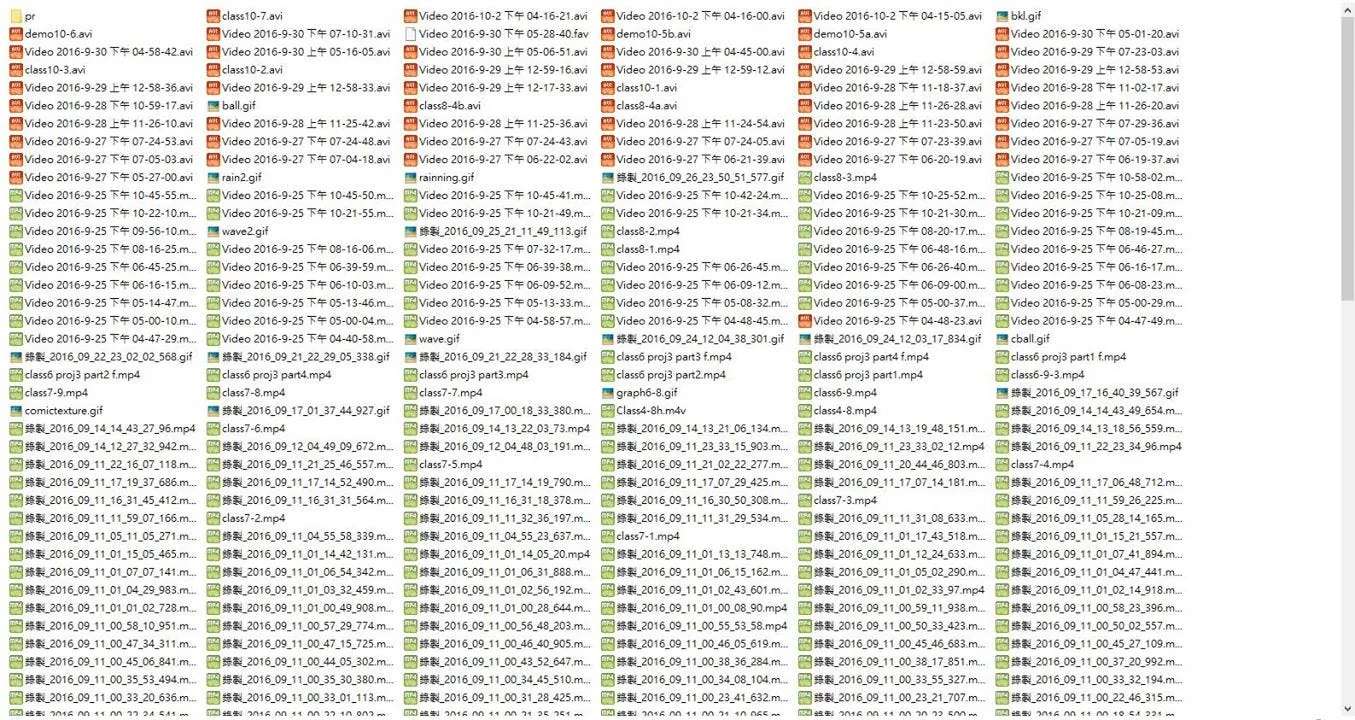 Tons of outtakes from recording the course — about a third of it
Having interesting rivals to spar with is more fun than fighting alone. Besides, who says I have to make a living off this for the rest of my life? Just because I can make money writing websites, do I have to clutch onto my one little skill for dear life? I've never given up moving forward, never given up learning — so no matter how much is packed into this course, it's only the peak of my past self, and in the blink of an eye it becomes a distant figure receding behind me again.
During this stretch of recording the course, there were times I went back to Taipei and passed right by my own front door without going in, lol (I know, I know), left tons of messages unread and unanswered, lol — so, so much time got poured into this, but I really was happy. Of course, I'm not rushing anyone to watch it right away — the videos will always be there. I just hope you remember that you once wanted to learn, so you won't forget why you started.
"A Bet, A Self-Evolution"
The state of designers in Taiwan today — in the traditional Taiwanese workplace, a designer is called a "visual laborer" (美工). But I think both sides have a problem here. On one hand, designers passively see themselves as people who receive assignments and directly execute an aesthetic conversion, like some kind of human Photoshop. So when facing unreasonable revision requests or complaints, they resent the situation, feel down about it, but still resignedly make the change without trying to push back. After all, Taiwanese education, from childhood on, doesn't encourage us to voice our own ideas — what we get plenty of instead is the mindset of "just do it the way I told you."
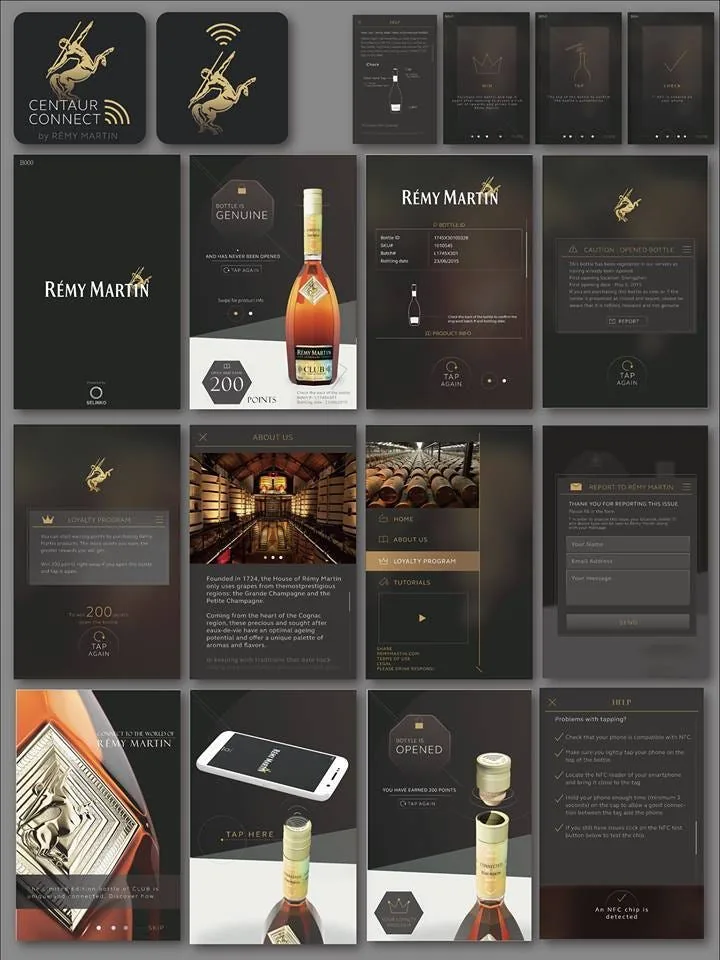 Back then, designing the Remy Martin app interface took forever — endless revisions…
The further along I got in design, the more I felt what really matters is "communication." More than aesthetics — any style has its own ceiling of beauty, and it's not that one style is better than another, but which one better suits the information the medium is carrying. The essence of the web is a communication medium, so when the message being communicated doesn't successfully get across, no matter how dazzling or refined the UI is, it will regrettably fail to deliver any value.
Speaking of that communication gap — it's been a full three years since I started taking on web-related projects, and after continuing to grow and mature, what I see happening in most of the industry is "designers hand off drafts, engineers carve out static templates." And in between, there's often a total communication breakdown: designers struggle to understand what's actually achievable in code, while engineers think designers are being difficult, constantly tweaking tiny details or issuing all kinds of impossible specs. When each side stubbornly holds its own territory, you get this pattern of passing-the-buck complaints and a passive giving-up on communication.
"Designers, Trust Me — Once You Know the Tech, You're Basically Playing With Cheat Codes"
Producing your own assets and VI, thinking in motion, implementing details — you can explore and accomplish things that pure visual design alone could never reach.
If you already have a foundation in graphic design, you naturally have more flexibility when designing a website layout than a pure engineer would — there's more you can change and more you can try. Beyond flashy UI flying and moving all over the place, even a plain, conventional layout can be given a graphic designer's eye for detail, and that alone opens up a real gap in interface design. Not to mention that a lot of designers are also illustrators, able to produce their own web assets, instead of painstakingly Googling a pile of mismatched styles and agonizing over how to piece them together. This kind of advantage is honestly borderline unfair.
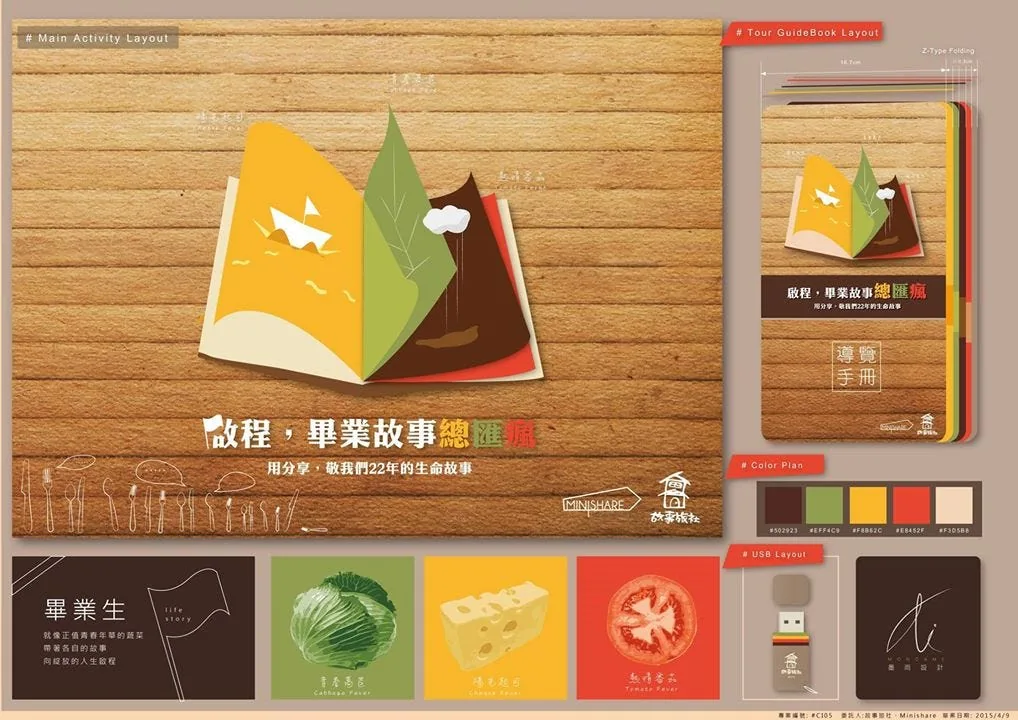
So if a designer learns web programming, with someone analyzing it from a designer's perspective — breaking down, layer by layer, starting from "what do I do when I want the site's visuals to look good," the methods and teaching needed to get there — they can get up to speed and level up in a very short time, fusing it with their existing design sense to reach a whole new state. This kind of state is the new era's "generalist knowledge" (雜學) — making the tool an extension of your own hands, rather than the final goal itself.
Finally, on the matter of price, someone said to me:
「2,000 元你傻啦,這樣的課程去外面 xx 電腦之類的根本是幾萬塊在收的。」
"2,000 NT? Are you crazy? A course like this at some xx computer school out there would cost tens of thousands."
Honestly, I'm not too worried about that, because if you don't watch the course, the one who loses out is always yourself — what you learn is always proportional to the effort you put in.
What I learned through teaching — after explaining it once, my own ability leapt forward and my fundamentals got much more solid, so honestly I gained a lot too. The key point is that the era is different now — crowdfunded online courses eliminate the drawback of an instructor having to repeat the same lecture endlessly. So charging 2,000 NT and enrolling over a thousand students, versus charging 8,000 NT for twenty students and having to endlessly repeat the same material — the effect and the influence this can generate multiply many times over, something that simply wasn't possible in an earlier era. And I don't have to sink such a huge time cost into repetitive teaching either — I get to dig into whatever I love instead.
Among the students, quite a few genuinely amazed me — they'd only just learned web development and were already producing really impressive work:
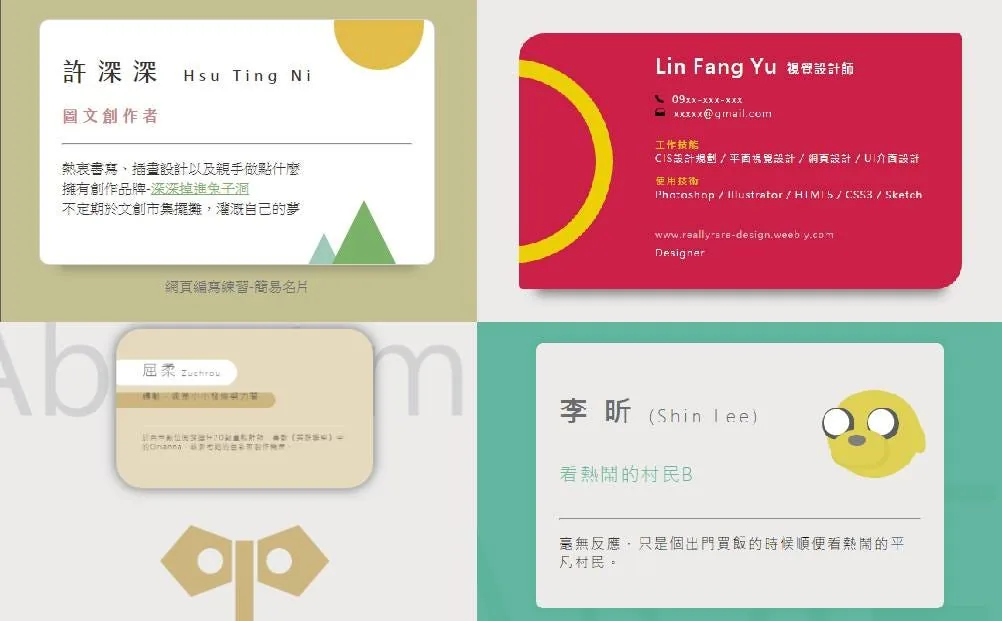 Some fun pieces people created after taking the course
And these were dynamic sites, not flat static pieces — carved out entirely in code! Top right Top left Bottom right Bottom left
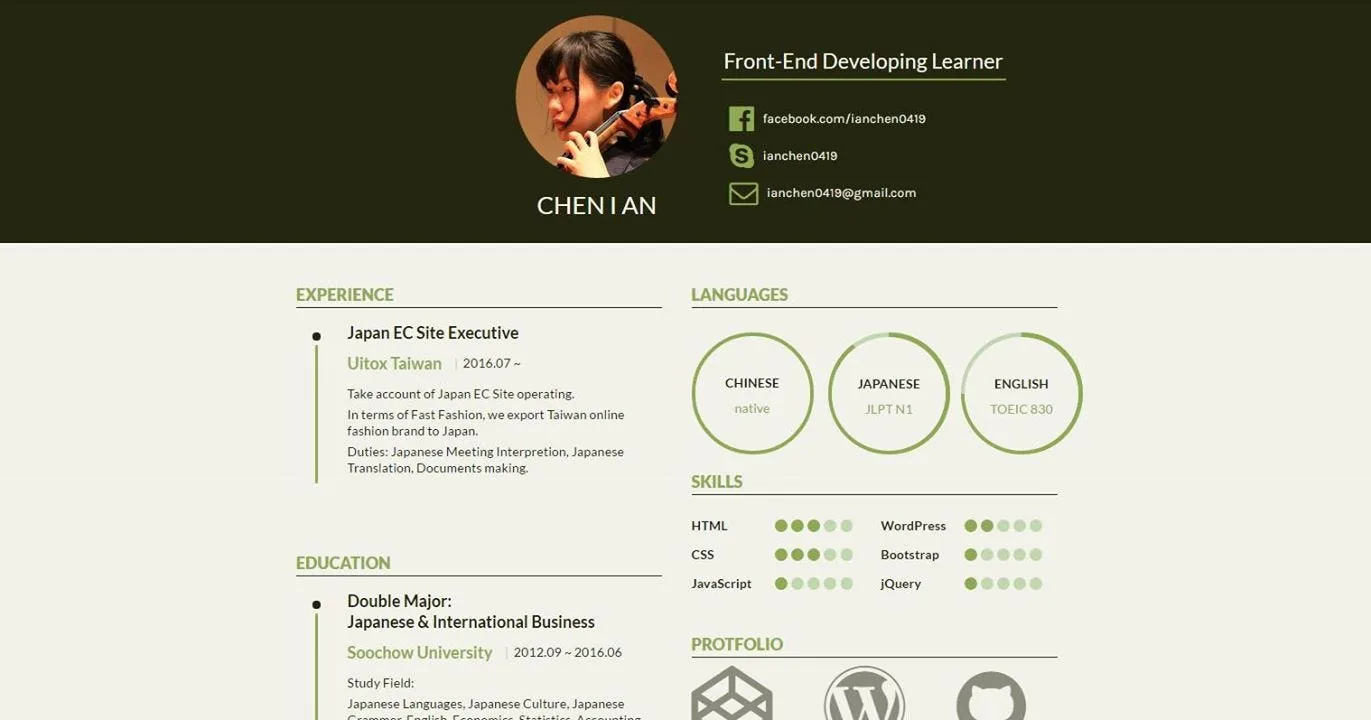 Really proactive about finding all kinds of resources/methods, lol — and the portfolio résumé is clean and punchy
CodePen link: link
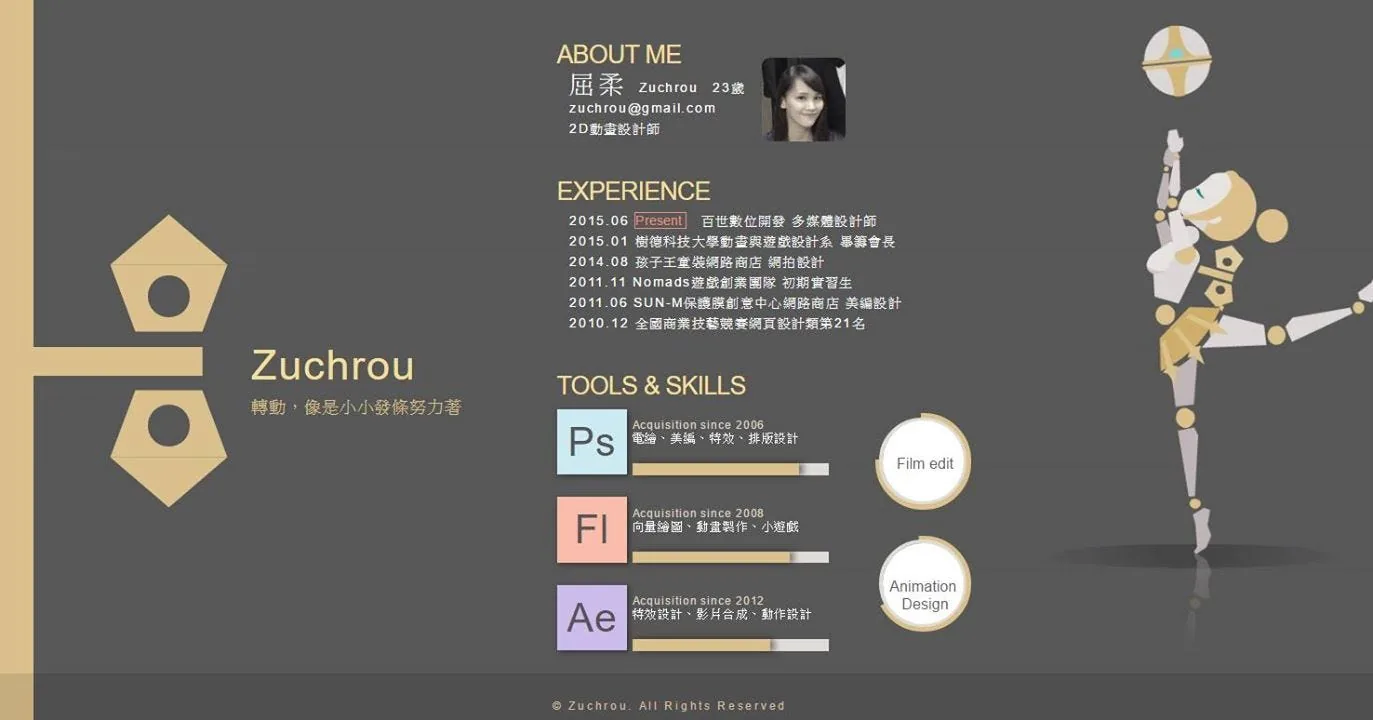 His animations are insanely powerful QWQQ, and he’s incredibly diligent
His CodePen: link
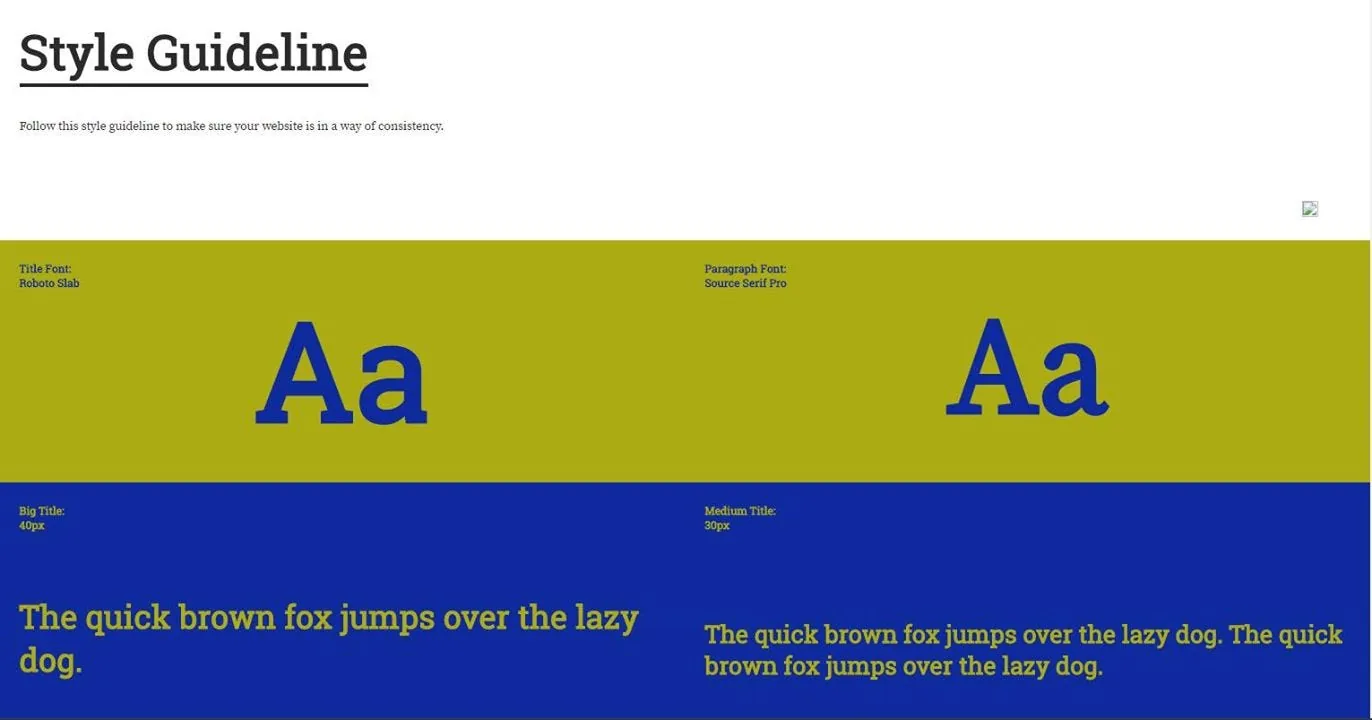 A visual guideline with real style (http://codepen.io/Pacpapapa/pen/vXkJvr)
So far, 1,600 people have enrolled, more than a third have started the first lesson, and close to 100 have already completed their first project.
If we treat a tool as a subject in itself, all we'll ever see is tedium — just like screenwriting, it's the core idea that reigns supreme. I hope I can help every single classmate who buys and takes this course, the way I'd help my own self from two years ago — not just passing on a tool, but passing on cross-disciplinary integration, the generalist philosophy I believe in.
"We Can't Fly Across This Sky Forever — All We Can Do Is Fight to Keep From Falling"
Let's evolve together — I've put every ounce of energy I had into this. If, one day, even just 1% of people are moved to step outside their own field, I'll be satisfied. With all kinds of platforms flourishing now, it's hard to reach everyone to share this with — but I hope everyone who comes in leaves with a full harvest, ready to set out on a new path in life. 動畫互動網頁程式入門 (HTML/CSS/JS) — Introduction to Animated Interactive Web Programming
p.s. If this course really did help you, and let you experience the joy of learning web development, please don't be shy about leaving a review and sharing it :)
Connected
The same year
Close in meaning
- Lab recordNever Just an Online Course — A Wager on Driving Evolution Forward
- EssayBrewing an Online Coding Course That Fuses Web Development, Design, Math, and Visual Effects
- Lab recordBrewing an Online Coding Course That Fuses Web, Design, Math and Effects
- Lab recordA little stubbornness and endless novelty — Hahow Blog interview