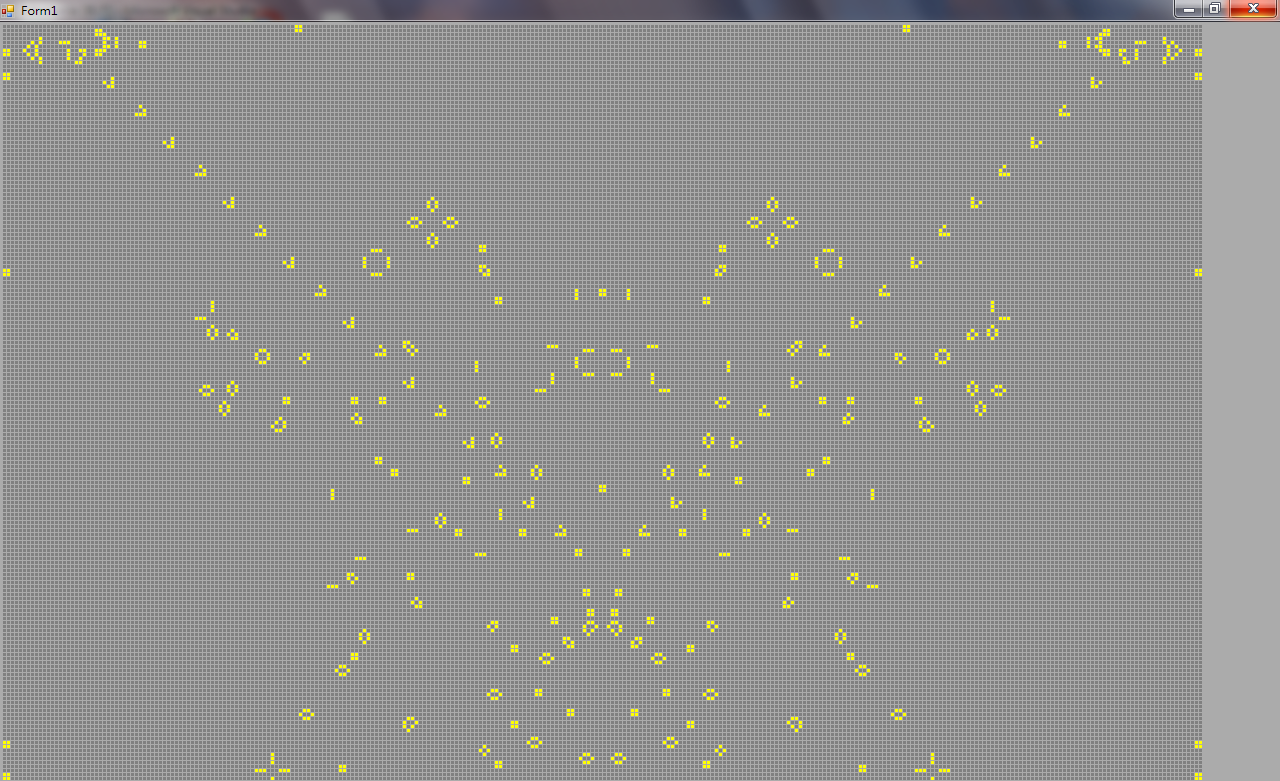
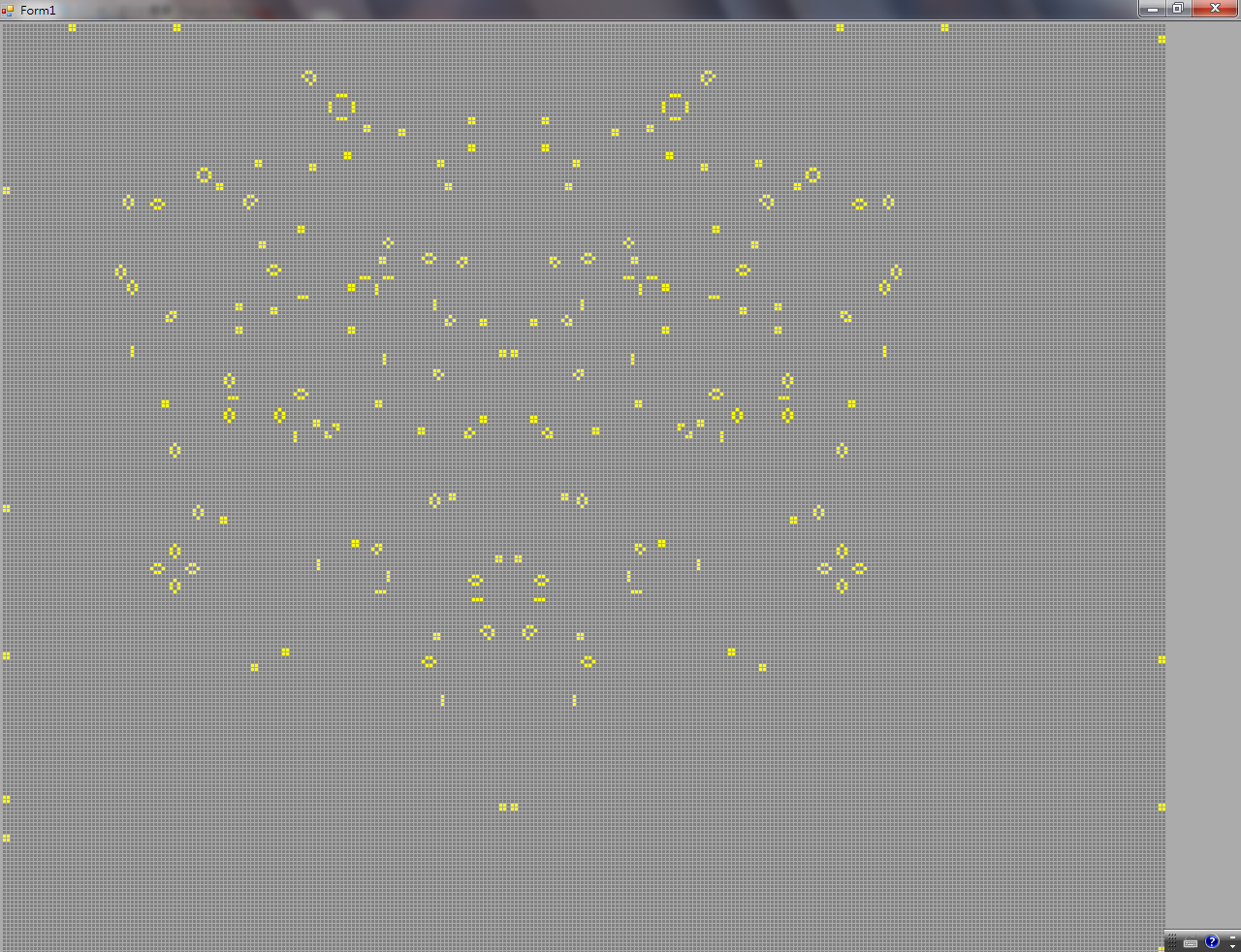
Life Game is Conway's Game of Life on a 300 × 250 board, 3 pixels a cell. The rules are the standard ones: a live cell with fewer than 2 or more than 3 neighbours dies, and a dead cell with exactly 3 neighbours is born. The A key runs generation after generation, S stops, C clears, T changes the interval, and a mouse click flips a cell.
Number keys 1 to 5 drop in ready-made patterns whose coordinates he typed into the program cell by cell: 1 is a five-cell glider, 2 a large 35-cell pattern, 5 the same pattern mirrored left to right, and 3 and 4 two more. I reran the 35 cells under the same rule: from generation 60 on, the live count rises by 5 every 30 generations, which is one glider fired every 30 generations.
左上和右上各一組,射出的滑翔機沿對角線往中間走(未命名.png,2011-02-20)A pattern in each upper corner, the gliders it fires travelling diagonally towards the middle (未命名.png, 20 February 2011)2011 年 2 月 20 日 14:11 的畫面(視窗右下角的時鐘)The screen at 14:11 on 20 February 2011 (from the clock at the lower right)
    Dim blockwidth As Integer = 3
    Dim blocks(800, 800) As Boolean
    Dim blockxcount As Integer = 300
    Dim blockycount As Integer = 250
    Dim blocksplit As Integer = 1
    Dim lifenum As Integer = 3
    Dim deadnum As Integer = 2
    Dim tempnum As Integer
    …
                If blocks(i, o) = True Then
                    If tempnum < deadnum Or tempnum > lifenum Then
                        Dim objEdit As New clsEdit
                        objEdit.i = i
                        objEdit.o = o
                        objEdit.editnum = False
                        a.Add(objEdit)
                    End If
                Else
                    If tempnum = 3 Then
                        Dim objEdit As New clsEdit
                        objEdit.i = i
                        objEdit.o = o
                        objEdit.editnum = True
                        a.Add(objEdit)
                    End If
                End If
Form1.vb:棋盤大小、死亡與誕生的條件(deadnum = 2、lifenum = 3,剛好 3 個鄰居才誕生)。Form1.vb: board size and the conditions for death and birth (deadnum = 2, lifenum = 3, birth only with exactly 3 neighbours).
                            ElseIf special = 2 Then
                                blocks(i, o) = True
                                blocks(i, o + 1) = True
                                blocks(i + 1, o) = True
                                blocks(i + 1, o + 1) = True
                                blocks(i + 8, o + 1) = True
                                blocks(i + 8, o + 2) = True
                                blocks(i + 9, o) = True
                                blocks(i + 9, o + 2) = True
                                blocks(i + 10, o) = True
                                blocks(i + 10, o + 1) = True
                                blocks(i + 16, o + 2) = True
                                blocks(i + 16, o + 3) = True
                                blocks(i + 16, o + 4) = True
                                blocks(i + 17, o + 2) = True
                                blocks(i + 18, o + 3) = True
                                blocks(i + 22, o) = True
                                blocks(i + 22, o - 1) = True
                                blocks(i + 23, o) = True
                                blocks(i + 23, o - 2) = True
                                blocks(i + 24, o - 1) = True
                                blocks(i + 24, o - 2) = True
                                blocks(i + 24, o + 10) = True
                                blocks(i + 24, o + 11) = True
                                blocks(i + 25, o + 10) = True
                                blocks(i + 25, o + 12) = True
                                blocks(i + 26, o + 10) = True
                                blocks(i + 34, o - 1) = True
                                blocks(i + 34, o - 2) = True
                                blocks(i + 35, o - 1) = True
                                blocks(i + 35, o - 2) = True
                                blocks(i + 35, o + 5) = True
                                blocks(i + 35, o + 6) = True
                                blocks(i + 35, o + 7) = True
                                blocks(i + 36, o + 5) = True
                                blocks(i + 37, o + 6) = True
Form1.vb:按 2 再點一格,以那一格為基準一格一格放上 35 個活細胞。Form1.vb: press 2 and click a cell, and 35 live cells are set one by one relative to it.
Brain is another project, from early March: a hundred by a hundred, 10,000 points as neurons, and twenty thousand random links, each running from one point to another and never to itself. At each tick a lit neuron goes out and, along every link that starts at it, lights the far end with a probability of about 49%. A button lights 30 random neurons. On average a neuron has 2 outgoing links, and 2 times 49% means one lit point lights about 0.98 others.
    Private Sub Button1_Click(ByVal sender As System.Object, ByVal e As System.EventArgs) Handles Button1.Click
        ReDim connectline1(connect, 1)
        ReDim connectline2(connect, 1)

        For i As Integer = 1 To connect
            connectline1(i, 0) = ran.Next(1, max + 1)
            connectline1(i, 1) = ran.Next(1, max + 1)

re:
            connectline2(i, 0) = ran.Next(1, max + 1)
            connectline2(i, 1) = ran.Next(1, max + 1)

            If connectline1(i, 0) = connectline2(i, 0) And connectline1(i, 1) = connectline2(i, 1) Then
                GoTo re
            End If

        Next
    …
                If all(i, o) = True Then
                    For k As Integer = 1 To connect
                        If connectline1(k, 0) = i And connectline1(k, 1) = o Then
                            If ran.Next(1, max + 1) < connectp Then
                                Label2.Text = "lINK " & i & "," & o & " TO " & connectline2(k, 0) & "," & connectline2(k, 1)
                                all(connectline2(k, 0), connectline2(k, 1)) = True
                                g.FillEllipse(Brushes.Yellow, widtha * (connectline2(k, 0)), widtha * connectline2(k, 1), widtha + 2, widtha + 2)

                            End If
                        End If
                    Next
                    all(i, o) = False
                End If
Brain 的 Form1.vb:隨機產生兩萬條連線,和每一刻的點亮規則。Form1.vb of Brain: make the twenty thousand random links, and the lighting rule at each tick.